Overview
I wanted to know whether anyone reads this site, but I didn’t want to hand every visitor’s browsing to a third-party analytics company. Matomo was the obvious choice. It is open source, it runs on a plain PHP and database stack, and the data stays on hardware I own.
The constraint I set myself: the Matomo server must never be exposed to the internet directly. It runs on an internal utility server. The only public entry point is the reverse proxy in the DMZ that already serves the static Hugo site.
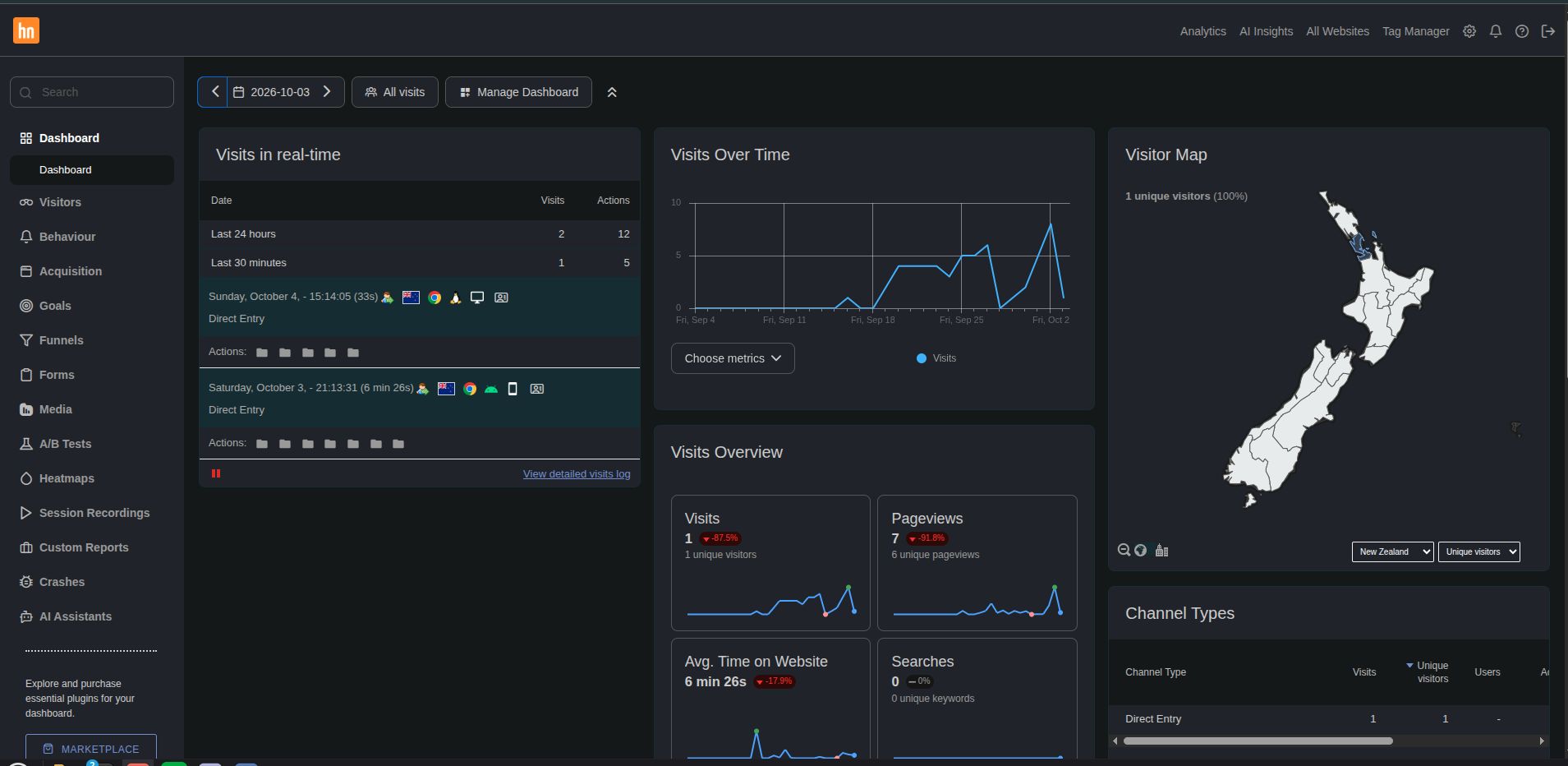
The setup now records visits for one site. It shows the real visitor IP and city-level location, and the analytics host stays out of public view.
All hostnames, addresses and paths in this post are anonymised. example.com stands in for the public site, and analytics.internal stands in for the internal Matomo host.
Architecture
DMZ web server
serves static site"] Matomo["Analytics server (Apache + PHP)
server VLAN, internal only"] DB["Matomo database"] GeoIP["GeoLite2-City database file"] Browser -->|"HTTPS: page + tracker path"| Proxy Proxy -->|"HTTPS + X-Forwarded-For"| Matomo Matomo --> DB Matomo --> GeoIP
The flow is simple:
- A visitor loads a page from the static site.
- The Matomo JavaScript snippet in the page head loads
matomo.jsand sends hits to a path on the same public domain, for examplehttps://example.com/analytics/. - nginx on the DMZ web server matches that path and proxies it over HTTPS to Apache on the internal analytics server.
- Matomo records the visit and looks up the location in a local GeoLite2 database.
From the browser’s point of view, everything comes from one origin. No extra subdomain, no extra certificate, no extra DNS record, and no firewall rule that opens the analytics host to the world.
Design Decisions
A path on the main site, not a separate subdomain
The obvious alternative was a dedicated analytics subdomain with its own proxy vhost. I went with a sub-path on the existing site for three reasons:
- Nothing new is published. The DMZ host already has a certificate and a firewall rule for 443.
- First-party requests. Tracking calls to the site’s own domain are less likely to be blocked than calls to an obvious analytics hostname. I don’t try to defeat blockers deliberately, but I avoid triggering them for no reason.
- One place to look. All public HTTP behaviour lives in one nginx config.
The proxy block looks roughly like this:
| |
A few details here do most of the work:
- The trailing slash on
proxy_passstrips the/analytics/prefix. Matomo is installed at the web root on the internal host and doesn’t know it lives under a sub-path. proxy_redirectrewrites any redirect Matomo issues, so the browser never gets sent to the internal hostname.- The
Hostheader is set to the internal name, so Apache selects the correct vhost. ^~makes this prefix match win over any regex locations in the static site config.
Matomo stays internal
The analytics server sits on the server VLAN with the other internal services. The DMZ proxy can reach it on 443, and nothing else from outside can. If the PHP application ever has a bad day, the attack surface is a single proxied path, not a whole web server.
Preserving the real visitor IP
Behind a proxy, every request reaches Apache from the proxy’s address. Matomo needs to be told which header to trust and which upstream is allowed to set it:
| |
Limiting proxy_ips to the proxy matters. If Matomo trusted X-Forwarded-For from anyone, a client could claim to be any IP it liked.
The Apache access log on the analytics host still shows only the proxy’s address. That is expected. Only Matomo, through the header, sees the real client.
Geolocation without server modules
Matomo offers several geolocation providers. Some depend on Apache or PHP extensions that populate $_SERVER variables. I used the GeoIP 2 (Php) provider, which reads a MaxMind .mmdb file directly. It needs no extra modules and no web server reconfiguration. You drop the GeoLite2-City database into Matomo’s misc/ directory, make it readable by the web server user, and select the provider.
GeoLite2 downloads require a free MaxMind account and a licence key. The key ends up in the download URL, so keep it in a password manager and out of scripts or notes.
What Worked / What Didn’t
What worked
- Single-origin tracking. Once the proxy block was right, the snippet in the Hugo theme needed only the public URL and the site ID.
- The PHP GeoIP provider. City-level data appeared as soon as the database file was in place. No restarts were needed, because Matomo reads the file on demand.
- Keeping the snippet in a Hugo partial. The tracking code lives in the theme’s head-extension partial, so it survives theme updates and goes out with every site build.
What didn’t (at first)
- Pointing the tracker at the internal hostname. My first snippet used the internal Matomo URL, because that’s what the Matomo install wizard shows you. It worked perfectly from inside the LAN and recorded nothing from the internet. It took an embarrassingly long time to notice that every recorded visit was my own.
- Every visitor in one place. Before I configured the trusted proxy settings, every visit came from the DMZ proxy’s address, and the location map showed a single dot.
- “My test visit didn’t register.” It did. Matomo groups any hit within 30 minutes of the previous one into the same visit, even if you close the browser. For testing, wait out the window or temporarily lower the session timeout, then put it back.
- A scary-looking notice in the Geolocation settings about missing
$_SERVERvariables. It applies only to the server-module providers and can be ignored when you use the PHP provider.
Tradeoffs
Advantages
- Analytics data stays on my own hardware
- No direct exposure of the analytics server
- Same-origin tracking with no extra DNS or certificates
- Real visitor IPs and city-level location despite the proxy
Limitations
- The DMZ proxy is now a dependency for analytics as well as the website
- GeoLite2 data has to be refreshed periodically to stay accurate
- Matomo builds reports on demand unless you schedule archiving, so large date ranges can be slow in the UI
- Another PHP application and database to patch and back up
Lessons Learned
- The tracker URL must be the public one. If the snippet points anywhere the internet can’t reach, you’ll only ever count yourself.
- Proxied apps need two things: the header and the trust. Forwarding
X-Forwarded-Fordoes nothing until the application is told which proxy may set it. Make that trust list as narrow as possible. - Small nginx details matter. A trailing slash on
proxy_passand a singleproxy_redirectline decide whether a sub-path proxy works at all. - Know your session window before you test. Half my early “bugs” were the 30-minute visit window doing exactly what it should.
- Choose components with fewer moving parts. The file-based GeoIP provider avoided a whole class of web-server module problems.
For a small personal site, this gives me the numbers I want without sending visitor data to a third party, and without publishing anything new to the internet.
Comments