Overview
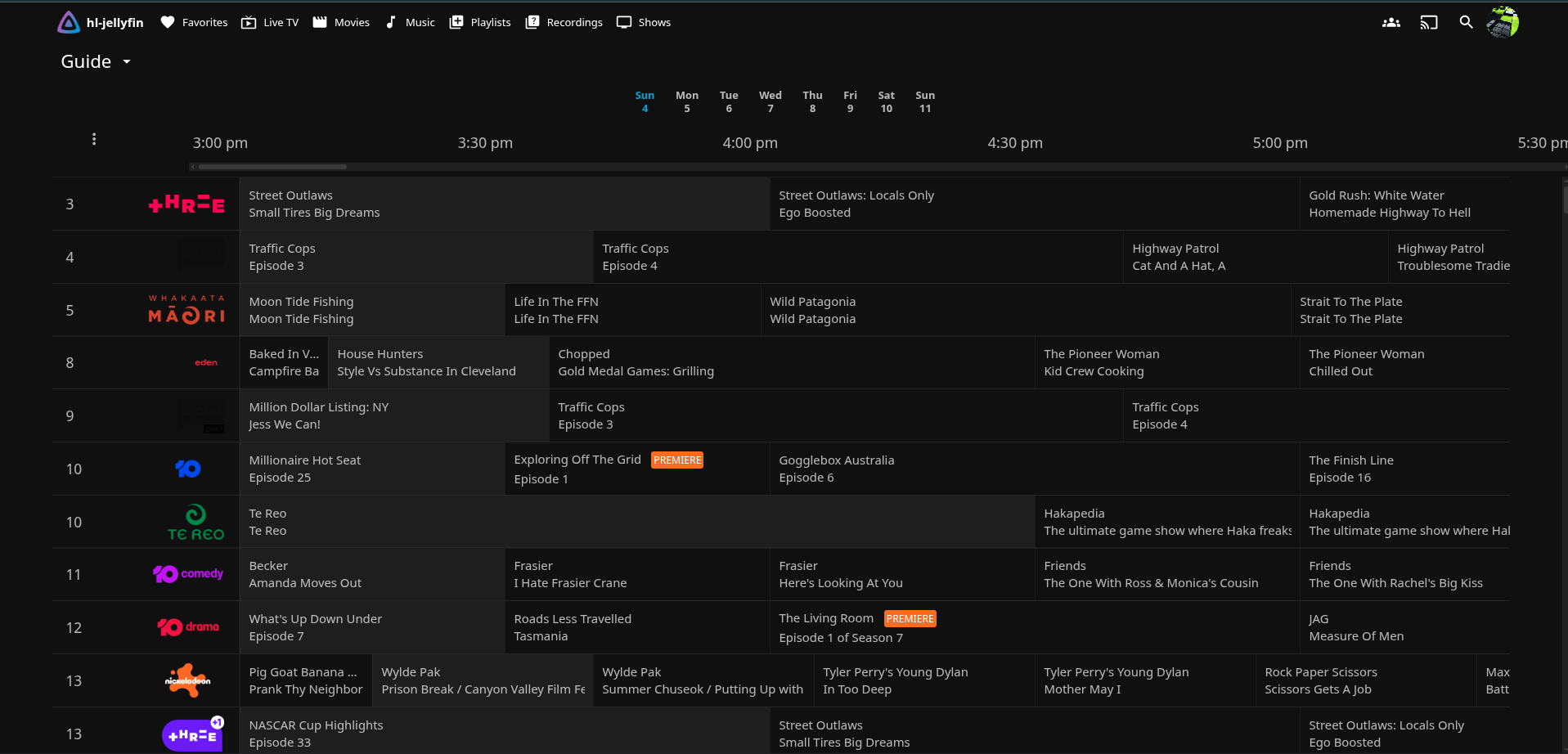
Jellyfin is my media server for films, series and music. I also wanted live free-to-air TV in the same interface, so I didn’t need a separate app or a set-top box in every room. Jellyfin doesn’t handle tuners or channel guides very well by itself. The usual approach is to put a PVR backend behind it, and I chose NextPVR.
The design goals were:
- One interface for everything. Live TV shows up in Jellyfin next to the library.
- Few moving parts. No extra VMs and no Docker layer.
- Channel and guide management stays in a tool that was built for it.
This post covers how the pieces fit together, the trade-offs, and an outage that broke every channel at once. That outage taught me more than the original build. Hostnames and addresses are left out or anonymised.
Architecture
Both services run natively under systemd in the same LXC container on my Proxmox cluster. There is no Docker on this host. Jellyfin and NextPVR are both well-behaved Linux services, so a container runtime inside an LXC container would only add another layer to debug.
The pieces:
- NextPVR holds the channel list, the electronic programme guide (EPG) and any recordings. It pulls live streams from upstream sources and serves them over its own HTTP API.
- The Jellyfin NextPVR plugin pairs Jellyfin with NextPVR. It logs in to NextPVR’s API with a pairing PIN and keeps a session ID. It uses that session to list channels and guide data and to request streams.
- Jellyfin’s bundled ffmpeg takes the MPEG-TS stream from NextPVR and transcodes it for whatever client is playing it.
The plugin talks to NextPVR over the loopback interface, because they share a host. Stream traffic between them never crosses the network.
(TV, phone, browser)"] subgraph Container["Media container (LXC)"] Jellyfin["Jellyfin server"] Plugin["NextPVR plugin
(PIN + session)"] FFmpeg["Jellyfin ffmpeg
(transcode)"] NextPVR["NextPVR backend
(channels, EPG, recordings)"] end Upstream["Upstream stream sources"] Client --> Jellyfin Jellyfin --> Plugin Plugin -- "HTTP API over loopback" --> NextPVR NextPVR -- "MPEG-TS" --> FFmpeg FFmpeg --> Jellyfin NextPVR --> Upstream
Why NextPVR
There are several ways to get live TV into Jellyfin. You can point it straight at an M3U playlist and XMLTV guide, use a hardware tuner such as an HDHomeRun, or put a PVR backend in front. I picked NextPVR for these reasons:
- Channel management is better. NextPVR keeps channel definitions apart from the mapping that decides which channels are shown. I can hide a channel without losing its guide or recording history.
- It can record. Recordings belong to NextPVR, and Jellyfin only displays them.
- It runs natively on Linux as a normal systemd service.
NextPVR stores channels, guide data and recordings metadata in a single SQLite database. That makes backup easy: copy one file, after stopping the service.
The Outage: “Streaming Failed (transcoder exited)”
The setup ran fine for a while. Then every live channel in Jellyfin started failing with the same message:
Streaming Failed (transcoder exited)
Every channel failed, not just one. That pointed at something between Jellyfin and NextPVR rather than at an upstream source.
Following the error down
The Jellyfin message only says that ffmpeg exited. To learn why, you need the per-attempt transcode logs that Jellyfin writes. Those showed:
| |
ffmpeg was exiting with code 183. So ffmpeg wasn’t failing to transcode a real stream. It was receiving something that wasn’t a video stream at all, most likely an error response from NextPVR.
The root cause
The cause was a single setting in NextPVR’s config, AllowRemoteAPI. It was set to false.
From the name, you would expect it to control access from other machines only. In practice, false also rejected the Jellyfin plugin, even though the plugin runs on the same host and connects over loopback. The plugin’s login failed silently, its stream requests got rejected, and ffmpeg received garbage. All Jellyfin could report was “transcoder exited”.
The fix was to set it back to true and restart the services in the right order:
- Back up the config file.
- Set
AllowRemoteAPItotrue. - Restart NextPVR first.
- Then restart Jellyfin, which makes the plugin log in again and get a new session.
After that, the plugin’s stored session ID changed, which confirmed a fresh login, and live TV worked again.
Losing Some Channels
At about the same time, I hit a separate problem. Three channels from one national broadcaster stopped working completely. The cause was upstream, not in my setup: the source I was using no longer carried them.
I looked at the broadcaster’s own streams. Their CDN URLs are signed per session and rotate often, so there is no stable URL to give NextPVR. Getting around that would mean scraping tokens and bypassing the broadcaster’s access controls. I decided not to do that.
Instead I removed only those channels’ mappings and kept their channel definitions plus their guide and recording history. If a stable, legitimate source appears later, I can map them again without losing anything. NextPVR’s separation of definitions from mappings made this a clean change.
What Worked / What Didn’t
What worked
- Running both services natively in one container. There’s no network hop for streams, no container runtime to debug, and systemd handles service order and restarts.
- Separating the backend from the frontend. NextPVR handles TV, Jellyfin handles playback, and each does its job well.
- Mappings separate from definitions. I could hide dead channels without destroying their history.
- Backing up files before changing them. Every config or database edit started with a dated copy, so any change could be undone with a single command.
What didn’t
- Error reporting across the plugin boundary. A failed authentication between two services on the same host showed up as a generic transcoder error, three layers away from the real problem.
- Depending on unofficial upstream sources. Channels can disappear without warning, and you can’t do anything about it.
- A config option with a misleading name.
AllowRemoteAPIcontrols more than “remote” access.
Lessons Learned
- “Transcoder exited” is a symptom, not a diagnosis. Go straight to the per-attempt ffmpeg logs. “Invalid data found when processing input” usually means ffmpeg was given an error page or nothing at all, not a broken stream.
- When every channel fails at once, look at the link between the services. One bad channel points upstream. All channels failing points at authentication or config between the plugin and the backend.
- Don’t assume “remote” means “not localhost”. Some applications treat every API caller the same way, including callers on the same machine.
- Restart order matters. Restart the backend first and the frontend second, so the plugin gets a fresh session against a backend that is already running. Check the session ID afterwards to confirm the new login.
- Hide data instead of deleting it. Removing mappings instead of channel records kept the door open to restore those channels later.
- Some problems shouldn’t be engineered around. Working around a broadcaster’s access controls might have been technically possible, but it wasn’t the right decision for my lab.
Live TV is now back in Jellyfin. The next time “transcoder exited” appears, I know which log file to check first.
Comments