Overview
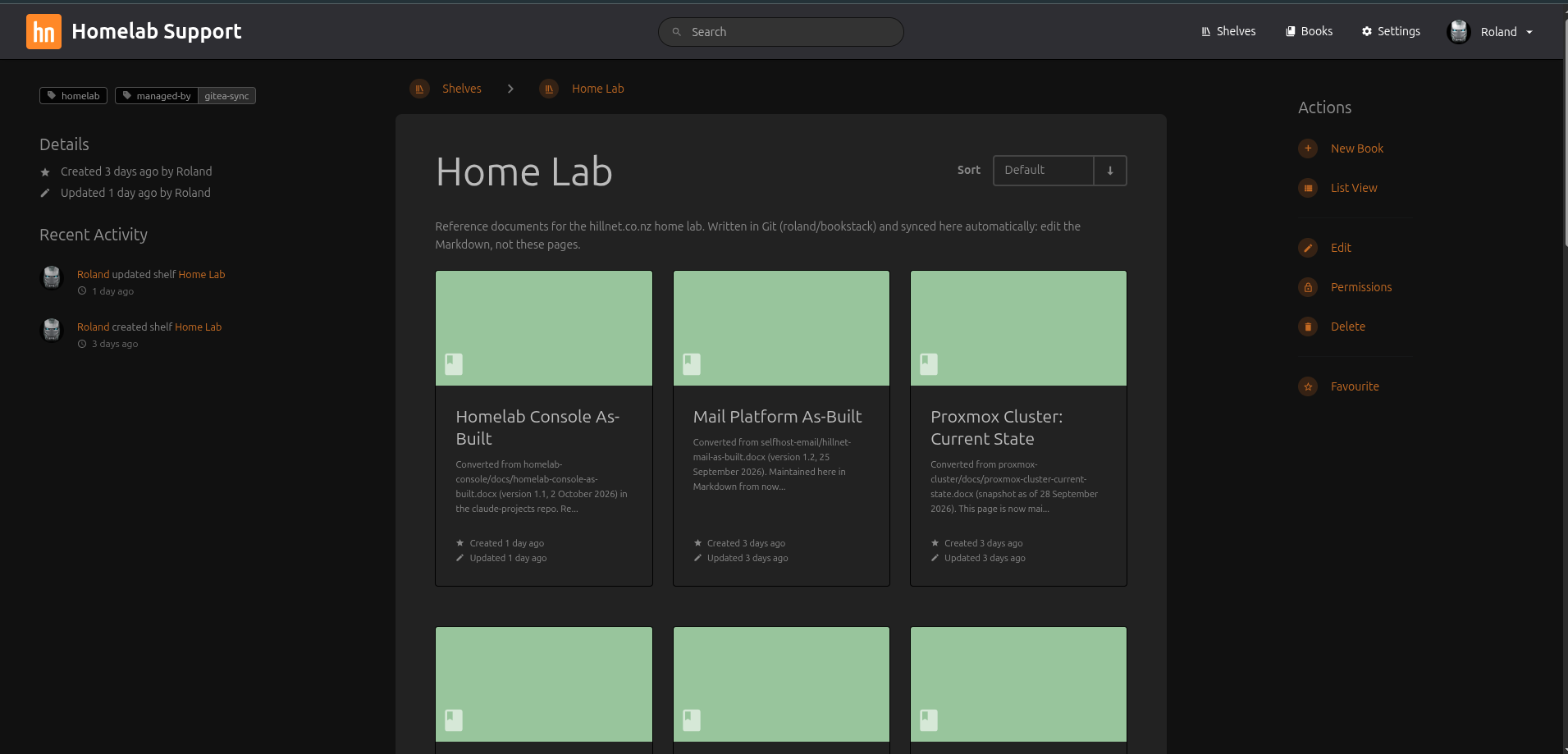
My home lab documentation used to be spread across Word as-built documents, project folders, README files and my memory. I wanted one place to read all of it, and I wanted the source to stay in Git.
The result is a small, internal-only knowledge base:
- Markdown in a private Gitea repository is the source of truth.
- BookStack is the reading interface. It is LAN-only and never exposed to the internet.
- Sync is one-way, Git → BookStack. A Gitea Actions workflow runs it on every push.
- A docs pipeline turns each project’s notes into an internal support guide. It can also produce a public Hugo draft, like the one you are reading. Those drafts are never published automatically.
All names in this post are generic roles, and any example values are anonymised.
Architecture
docs pipeline"] Git["Git server
private repo"] Runner["Actions runner
(host mode, on the Git server)"] Proxy["nginx on Docker host
TLS termination"] App["BookStack container"] DB["MariaDB container
(stack network only)"] Browser["Browser on LAN"] Drafts["Public Hugo drafts
(draft = true)"] Site["Public website
(manual, reviewed)"] Dev -->|git push| Git Dev --> Drafts Drafts -.->|human review| Site Git --> Runner Runner -->|BookStack API over HTTPS| Proxy Browser -->|HTTPS| Proxy Proxy -->|localhost only| App App --> DB
The main parts are:
- BookStack and its own MariaDB run as a Portainer stack on an existing Docker host, which is an LXC container on the Proxmox cluster. The database is not shared with anything else, and it is only reachable on the stack’s internal network.
- Host nginx terminates TLS, the same way it does for the other web apps on that host. The BookStack container publishes only to localhost. Certificates come from my existing certificate-push tooling.
- Mail goes through the internal mail relay with STARTTLS required, like my other services.
- A Gitea Actions runner runs inside the Git server’s container in host mode. There is no Docker on that host.
- Diun watches both images and tells me when new tags appear.
The Sync Model
The key design choice is that Git owns the content and BookStack only displays it.
The repository mirrors BookStack’s hierarchy:
| |
- Optional
_shelf.md,_book.mdand_chapter.mdfiles give a container its title, tags and description. - File-name prefixes such as
01-and02-control the order of pages. - Images live in an
_images/folder. The leading underscore stops the folder from being treated as a chapter.
Each page has a small block of front matter, with a required title:
| |
The sync script talks to the BookStack API. It only touches items it created itself, which it marks with a tag. Hand-made pages are never modified. If an item with the same name exists but isn’t tagged, the script skips it and reports the skip. It does not overwrite it.
Other behaviour:
- Dry run first. A dry run only issues reads and shows CREATE, UPDATE, SKIP and ORPHAN lines.
- No deletions by default. Deletions happen only on an explicit
--prunerun, and pruned items go to BookStack’s recycle bin. - Prune refuses to run if anything was skipped. A half-understood state is the wrong time to delete things.
- Exit codes mean something. Exit 0 is a clean run, exit 1 means the run finished with skips, and exit 2 means a config or API error. As a result, a red workflow run in Gitea always means something needs attention.
Hand-written pages still have a home: they go on a separate shelf that the sync never touches.
The Runner
Gitea has Actions built in. The runner (recently renamed upstream from act_runner to gitea-runner) is a single binary, so I run it directly on the Git server rather than in Docker. To keep it contained:
- A dedicated service user with no shell, no sudo and no access to Gitea’s own files.
- systemd sandboxing:
ProtectSystem=strict, private/tmp, no home directories andNoNewPrivileges. - One job at a time, with a timeout and no cache server.
- A disk health check, so the runner stops taking jobs before it fills the container’s small disk.
- A custom label instead of
ubuntu-latest. Workflows copied from GitHub just wait instead of running on the host. This is deliberate.
Host mode is a trade-off. It is simple and light, but any workflow runs with the runner user’s rights on that host. It only makes sense when every repository on the server is yours and trusted.
The Docs Pipeline and the Public Boundary
Each project in my lab has a working folder of notes. A pipeline on a dev host turns those notes into a structured internal support guide that covers inventory, configuration, operations, troubleshooting and known issues. The guide lands on a “Projects” shelf in BookStack. The pipeline only regenerates a project when its sources have changed.
The same pipeline can produce a public Hugo draft. Two different audiences need two different documents:
- The internal guide has everything: hosts, paths, schedules and recovery steps.
- The public post explains ideas and trade-offs, and deliberately leaves the specifics out.
Public drafts are always created with draft = true. My web host builds without drafts, so even a mistake can’t publish one. Promoting a draft is a manual job, one page at a time:
- A sanitiser and a secrets scanner must report zero findings.
- I read the draft for facts and for what it gives away.
- I diff it against the live page.
- I preview it locally, then flip the draft flag myself.
Automation never writes to the website repository.
Backups and Recovery
Because content comes from Git, much of BookStack rebuilds itself on the next sync. The backups are really for what Git doesn’t hold:
- hand-written pages;
- users and permissions;
- uploads;
- comments and revisions;
- branding (which lives in the database, not in files).
A nightly app-level job dumps the database with a consistent single-transaction dump. It also archives the uploads, files, images and themes, and writes a manifest with checksums and image tags. The regular container-level backups then carry those dumps off the host to my existing backup tiers, so I get both a quick local restore and an off-host copy.
Two rules turned out to matter:
- The application key is not in the backup, and a restore without the same key is useless. It is stored separately with the other stack secrets.
- A restore script runs a full rehearsal in a throwaway stack with its own network, volumes and port. The live stack is never touched. I run it after every upgrade, and the first rehearsal passed.
Tradeoffs
What Worked
- Git as source of truth. I get history, review and diffs for free, and BookStack becomes disposable.
- Tag-based ownership in the sync. Automation and hand edits coexist without fighting.
- Reusing existing plumbing. The reverse proxy, certificate push, mail relay, update alerts and backups were already there.
- A hard wall between internal and public. The pipeline can draft freely because nothing ships without a human.
What Didn’t (or Needed Care)
- Edits made in BookStack vanish. Managed pages are overwritten on each sync. This is by design, but it surprises you once.
- Portainer GitOps auto-updates had to stay off. Every content push would otherwise redeploy the stack.
- Container naming matters. A book without a
_book.mdtakes its name from the folder slug, which produces some odd titles. - Docker inside an LXC adds coupling. A bad hypervisor upgrade takes every stack on that host down together, so I snapshot before risky changes.
- Not every container can be snapshotted. The Git server’s container sits on storage without snapshot support, so it gets a protected backup before changes instead.
Lessons Learned
- Decide which way sync flows, and enforce it. One-way sync with clear ownership is far easier to reason about than two-way editing.
- Make automation conservative by default. Use dry runs, don’t delete without being asked, and refuse to prune when anything looks off.
- Back up the key, not just the data. An encrypted-at-rest app is only restorable if you still have its key.
- Rehearse restores in isolation. A throwaway stack proves the backup works without risking production.
- Treat “public” as a separate product. The same facts serve operators and readers very differently, and the safest place to draw that line is a manual review step.
- Self-hosted CI runners are powerful and blunt. Labels, a dedicated user and systemd sandboxing go a long way, but trust in the repositories is what really matters.
The knowledge base is now the first place I look when something in the lab misbehaves, and writing posts like this one starts from a draft rather than a blank page.
Comments